SECSMaster
Purpose
SECSMaster exchanges SECS/GEM messages over HSMS, handles transactions, and receives active device messages.
Open the plugin
Enter "Development Configuration → Collection Configuration", create a device and select "SECSMaster" in "Collection Plugin".
Supported channels and data types
| Channel type | Pre-configuration check |
|---|---|
| TCP Client | Confirm network reachability of the device IP, port, and gateway to the device. |
Optional data types: Boolean, Byte, Int16, UInt16, Int32, UInt32, Int64, UInt64, Float, Double, String
Plugin properties
Protocol parameters
| Setting | Description |
|---|---|
| Session ID | Default: 0; Range: 0~65534; Fill in: text input. Sets the session ID used for protocol communication. |
Running parameters
| Setting | Description |
|---|---|
| Control transaction T6 | Default: 5000; Range: 1~2147483647; Fill in: digital input. Sets the control transaction T6 used when the plugin is run. |
| Select Session T7 | Default: 10000; Range: 1~2147483647; Fill in: Numeric input. Sets the selection session T7 used when the plugin is run. |
| Fragmented reception T8 | Default: 5000; Range: 1~2147483647; Fill in: digital input. Sets the shard receive T8 used by the plugin runtime. |
Address rules
- Address Description
- s=1;f=3;w; send main message and wait for S1F4
- s=6;f=11; Subscription device active S6F11
s=1;f=13;w;<List Length="0" />carries SECS-II XML data
Special methods
| Method | Purpose | Parameters |
|---|---|---|
| TestLinkAsync | Perform link test | No parameters |
| ExchangeMessageAsync | Exchange SECS-II messages | address=s=1;f=3;w; |
| ReadStatusVariableNamesAsync | Read GEM status variable names | statusVariableIds=1,2,3 |
Functions
| Function | Purpose |
|---|---|
| Linktest | Run an HSMS Linktest to confirm that the session is available without sending a business-control message. |
| Message exchange | Send an S/F message with optional SECS-II data; wait for the secondary message when w is present. |
| Status-variable names | Query GEM status-variable names by SVID list. |
| Active-message monitoring | Check that configured S/F variables update when the equipment reports an event. |
Device debug
Enter "Development Configuration → Collection Configuration", select the current device and click "More Functions", then open "Debug".
Dedicated debugging page
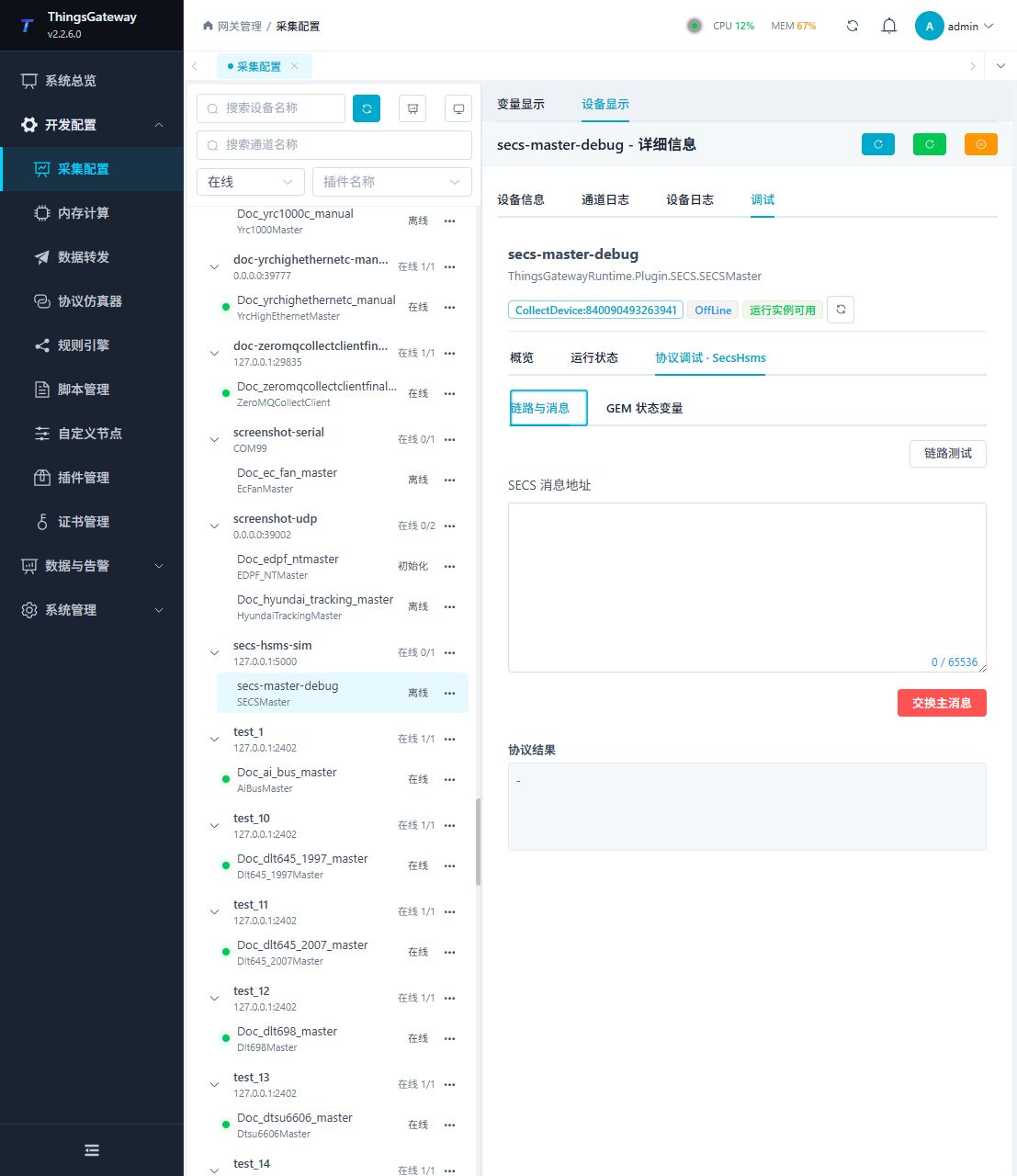
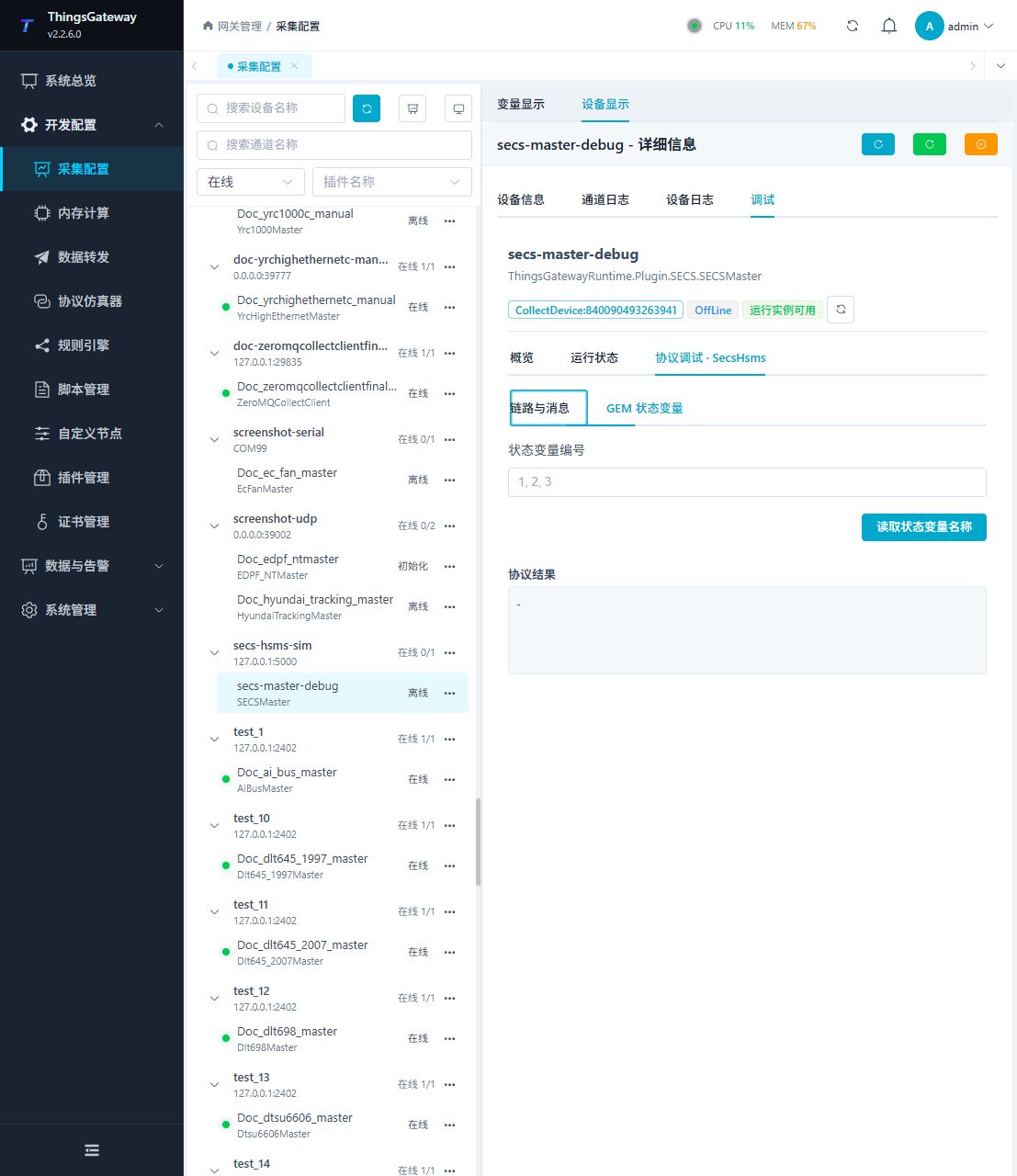
The protocol debug page provides link and message operations and status-variable queries.
Debugging notes
Test the HSMS/SECS-II link first; message exchange requires write permission and secondary confirmation, SVID query remains read-only.
Verify the configuration
- Run Linktest and confirm that the HSMS session is available.
- Enter approved test SVIDs such as
1,2,3, read their names, and compare them with the equipment documentation. - Exchange a message with a confirmed read-only meaning and verify the expected S/F secondary message.
- For active-message variables, trigger one approved test event and confirm that the matching S/F address updates.
- Do not send a business message whose meaning has not been confirmed to a production device.
Troubleshooting
- Linktest fails: Check TCP address, port, session ID, and HSMS Select state.
- The connection drops soon after it opens: Check T6, T7, and T8 timeout settings.
- SVID query fails: Confirm that the equipment is in communication state, the SVID exists, and GEM permissions allow the query.
- Message exchange times out: Check S/F, the
wflag, T3 transaction timeout, and whether the equipment should return a secondary message. - Active message does not update a variable: Check the S/F address, session ID, and message log.
Related links
- Collection configuration: View channel, device and common variable configuration.
- Plugin Index: Find other collection or data-forward plugins.