Yaskawa YRC High-Speed Ethernet
Purpose
This plugin uses the Yaskawa High Speed Ethernet binary UDP protocol to read alarms, state, pose, torque, I/O, registers, and controller variables and, when authorized, execute servo, program, I/O, and variable controls. It is named YrcHighEthernetMaster in the device selector.
See Collection Configuration for common device and variable operations. This page covers the processing division, special methods, and seven dedicated debug views.
Open the plugin
Create a UDP channel and device and select YrcHighEthernetMaster. Confirm local and controller addresses, ports, and bidirectional UDP firewall rules.
Supported scope and property
| Item | Description |
|---|---|
| Channel | UDP. Verify both request and response routes. |
| Data type | Select the type required by the chosen special method. |
| Processing division | 1 for robot control and 2 for file control. Use 1 for common state, I/O, and motion operations. |
Variable rule
The plugin does not use cyclic register addresses. Select one of the special methods below and use the variable address as that method's parameter.
Special methods
State and control
| Method | Purpose | Parameters |
|---|---|---|
ReadAlarmsAsync | Read current alarms | - |
ReadHistoryAlarmsAsync | Read alarm history | alarmType; length: 1–100 |
ReadStatusAsync | Read controller state | - |
ReadJobSequenceAsync | Read job sequence | task: 1–16 |
ReadPoseAsync / ReadTorqueAsync | Read pose or torque | - |
HoldAsync | Set HOLD | status: true/false |
ResetAsync / CancelAsync | Reset alarms or cancel an error | - |
SetServoAsync / SetInterlockAsync | Set servo or interlock | status: true/false |
SetCycleAsync | Set cycle mode | number: 1 step, 2 single, 3 continuous |
DisplayMessageAsync | Display a controller message | message: up to 475 ASCII bytes |
StartAsync | Start the job | - |
SetJobSequenceAsync | Select job and line | programName: up to 32 ASCII bytes; line: 0–9999 |
Controller information
| Method | Purpose | Parameters |
|---|---|---|
ReadManagementTimeAsync | Read management time | address |
ReadManagementTimeSpanAsync | Read accumulated duration | address |
ReadSystemInfoAsync | Read system information | system |
I/O and registers
| Method | Purpose | Parameters |
|---|---|---|
ReadIoByteAsync / WriteIoByteAsync | Read/write one I/O byte | address; write value |
ReadIoBytesAsync / WriteIoBytesAsync | Read/write I/O bytes | address; read length 1–474; write even-byte value |
ReadRegisterAsync / WriteRegisterAsync | Read/write one register | read address 0–999; write address 0–599, UInt16 value |
ReadRegistersAsync / WriteRegistersAsync | Read/write registers | address; length or values: 1–237 |
Controller variables
| Methods | Type | Address / batch limit |
|---|---|---|
ReadByteVariableAsync, WriteByteVariableAsync, ReadByteVariablesAsync, WriteByteVariablesAsync | Byte | address 0–99; batch up to 474 bytes |
ReadIntegerVariableAsync, WriteIntegerVariableAsync, ReadIntegerVariablesAsync, WriteIntegerVariablesAsync | Int16 | address 0–99; batch up to 237 |
ReadDoubleIntegerVariableAsync, WriteDoubleIntegerVariableAsync, ReadDoubleIntegerVariablesAsync, WriteDoubleIntegerVariablesAsync | Int32 | address 0–99; batch up to 118 |
ReadRealVariableAsync, WriteRealVariableAsync, ReadRealVariablesAsync, WriteRealVariablesAsync | Float | address 0–99; batch up to 118 |
ReadStringVariableAsync, WriteStringVariableAsync, ReadStringVariablesAsync, WriteStringVariablesAsync | Fixed ASCII | address 0–99; one value up to 16 bytes; batch up to 29 |
ReadPositionVariableAsync | Position | address 0–99 |
ReadBasePositionVariableAsync | Base position | address 0–127 |
Raw command
| Method | Purpose | Parameters |
|---|---|---|
SendCommandAsync | Execute a raw protocol command | command, dataAddress, dataAttribute, dataHandle, data bytes |
Writes, servo, HOLD, interlock, cycle, program start, and raw commands can move the robot or alter controller state. Confirm operating mode, safety area, interlocks, emergency stop, and site authorization first.
Functions
| Function | Purpose |
|---|---|
| Robot status | Use Robot status to inspect mapped values, status, counters, recent messages, or the latest result. |
| Controller control | Use Controller control with an approved test point and confirm site safety before execution. |
| Read or monitor | Read current values or monitor the latest device update. |
| Control operation | Use Control operation with an approved test point and confirm site safety before execution. |
| Variable mapping | Check how incoming data is mapped to the selected variable. |
| Plugin operation | Use the controls on this plugin page and review the returned result. |
| Raw command | Use Raw command to send or inspect protocol frames and view the device or target response. |
Device debug
Open Development Configuration → Collection Configuration, select the YRC device, and open its protocol debug panel.
| Feature | Purpose |
|---|---|
| Robot Status | Alarms, state, job sequence, pose, and torque. |
| Controller Control | HOLD, reset, servo, cycle mode, and job start. |
| Controller Information | Management time and system information. |
| Controller Variables | Registers and byte, integer, double, real, and string variables. |
| Position Variables | Position and base-position variables. |
| I/O | Single and batch I/O. |
| Raw Command | Low-level command, address, attributes, and bytes. |
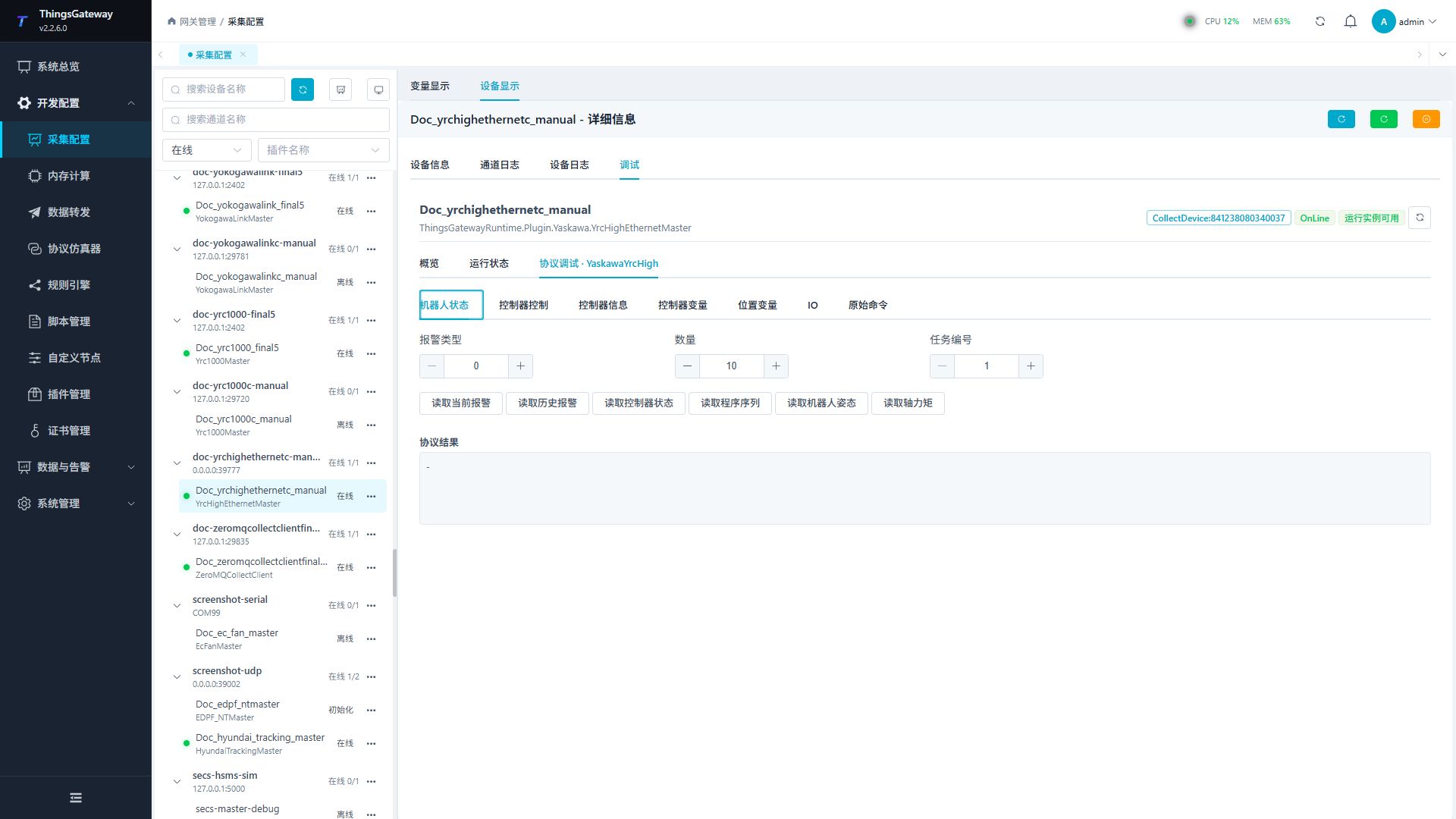
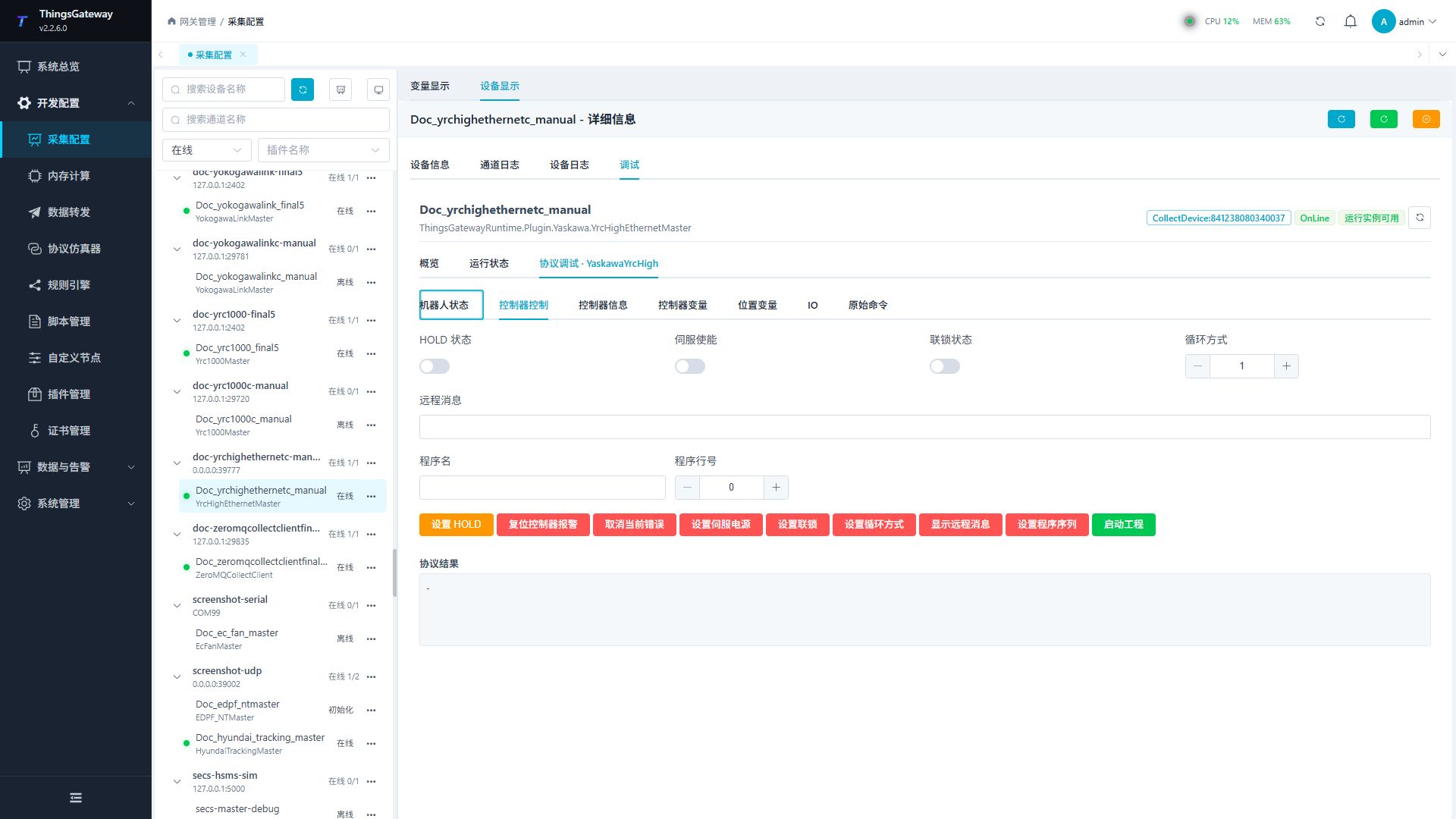
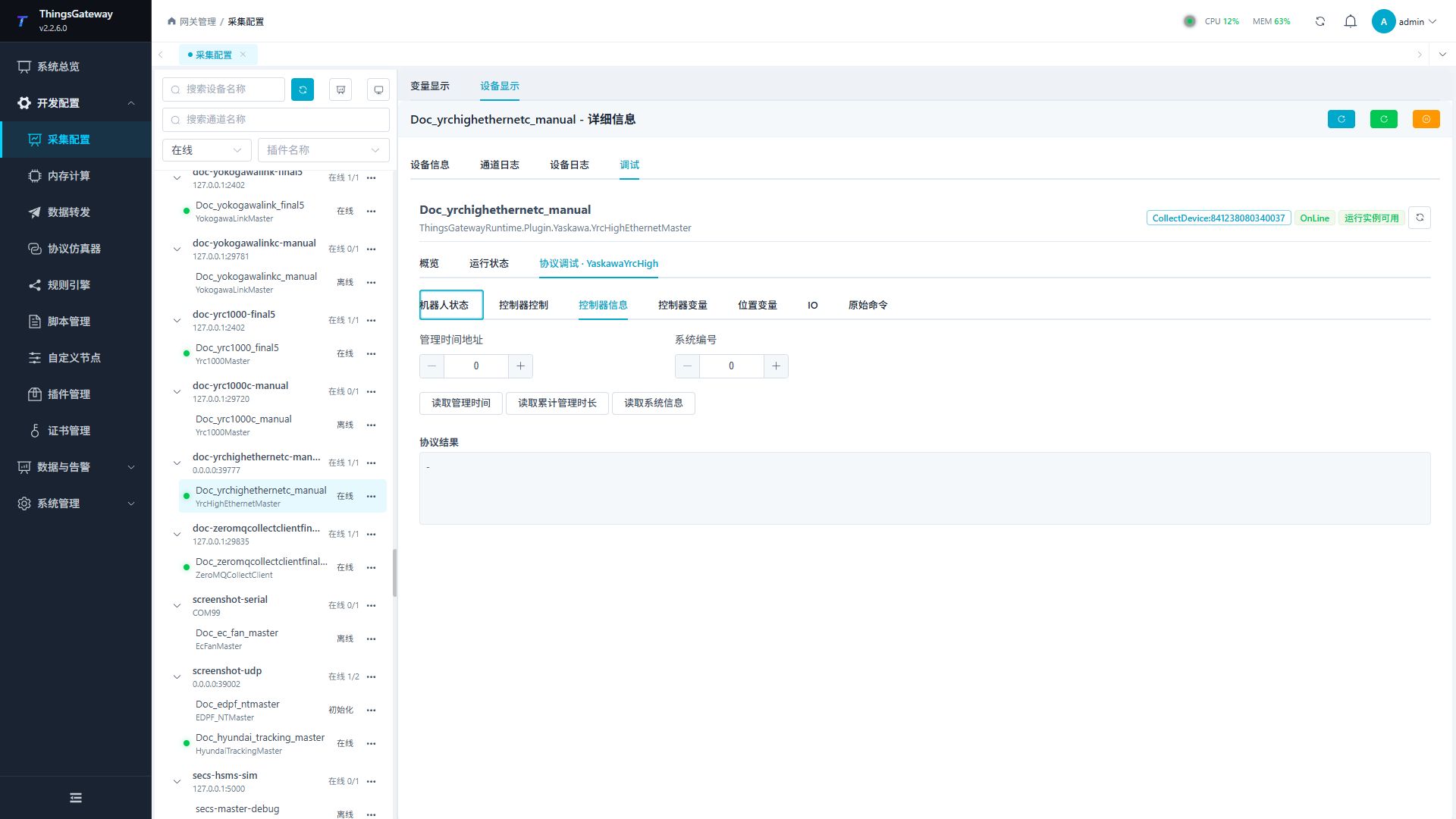
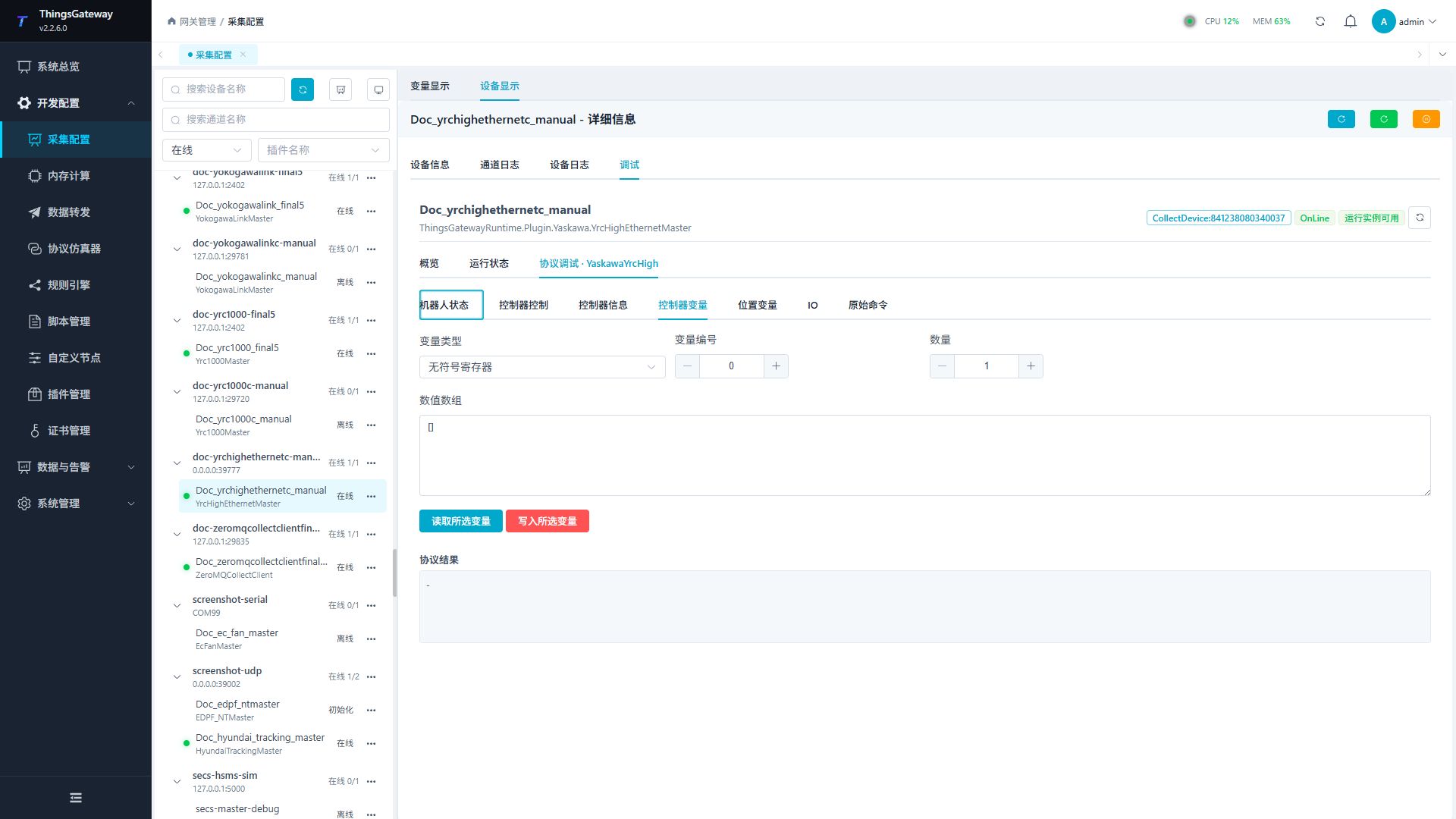
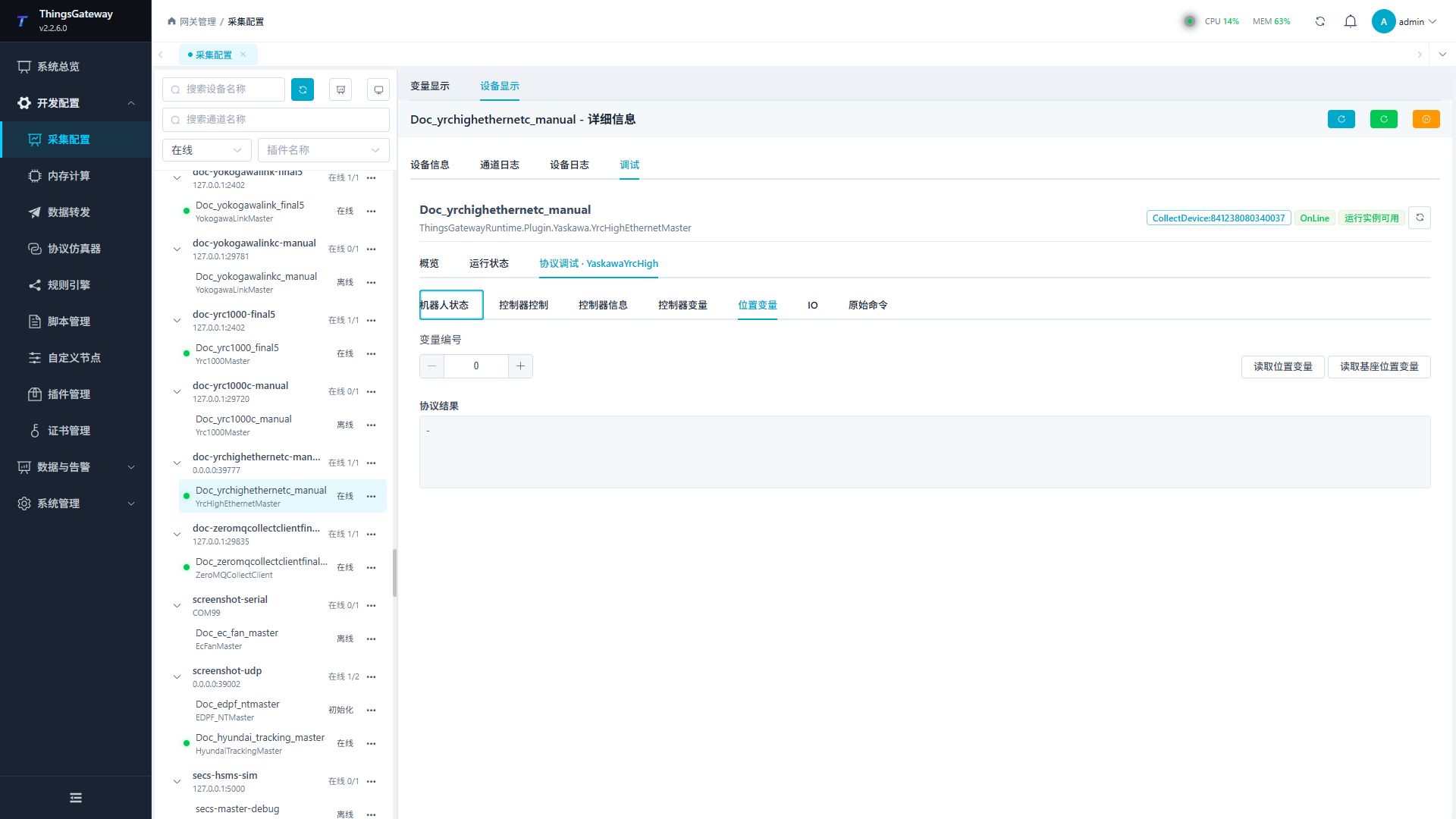
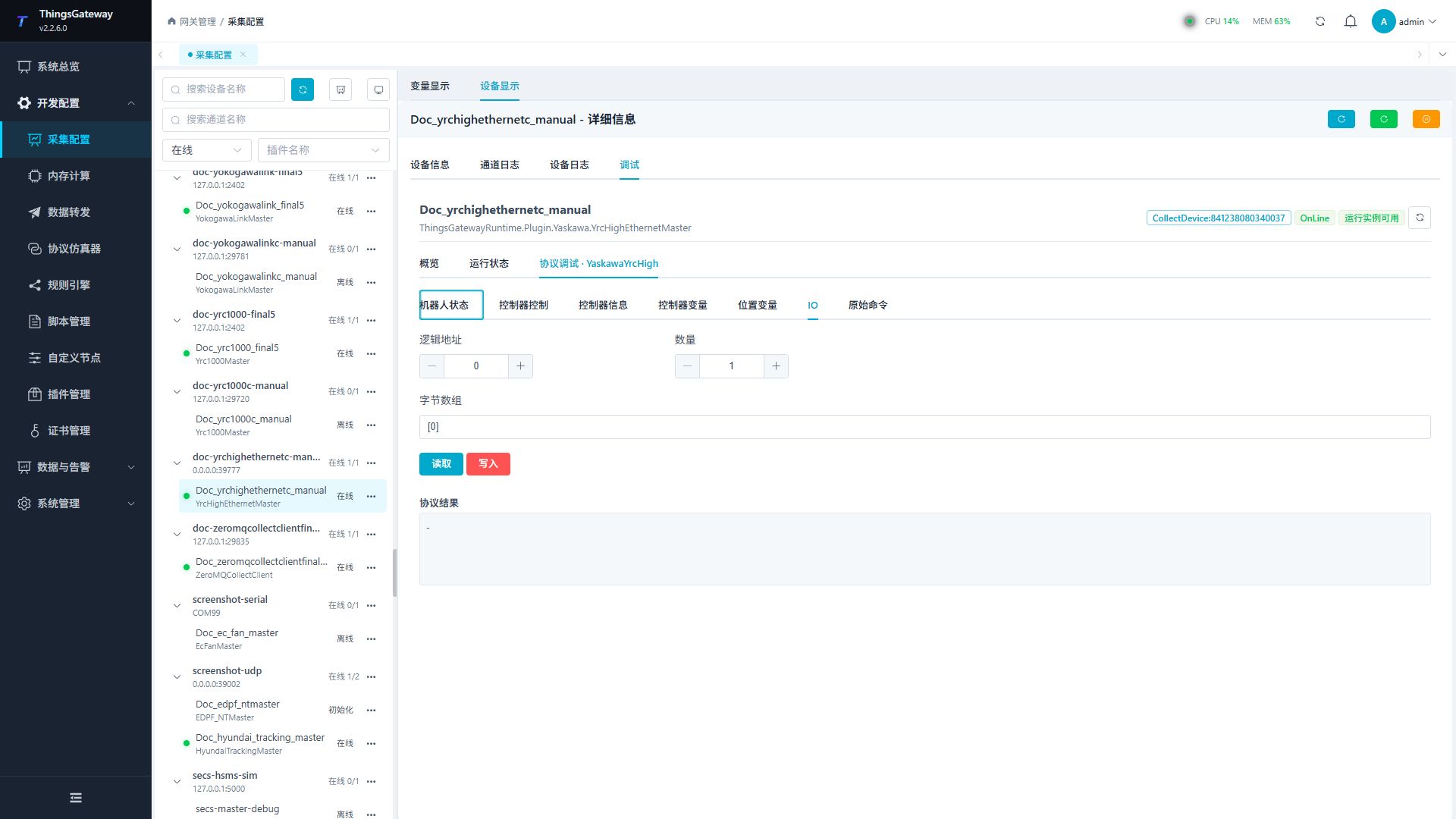
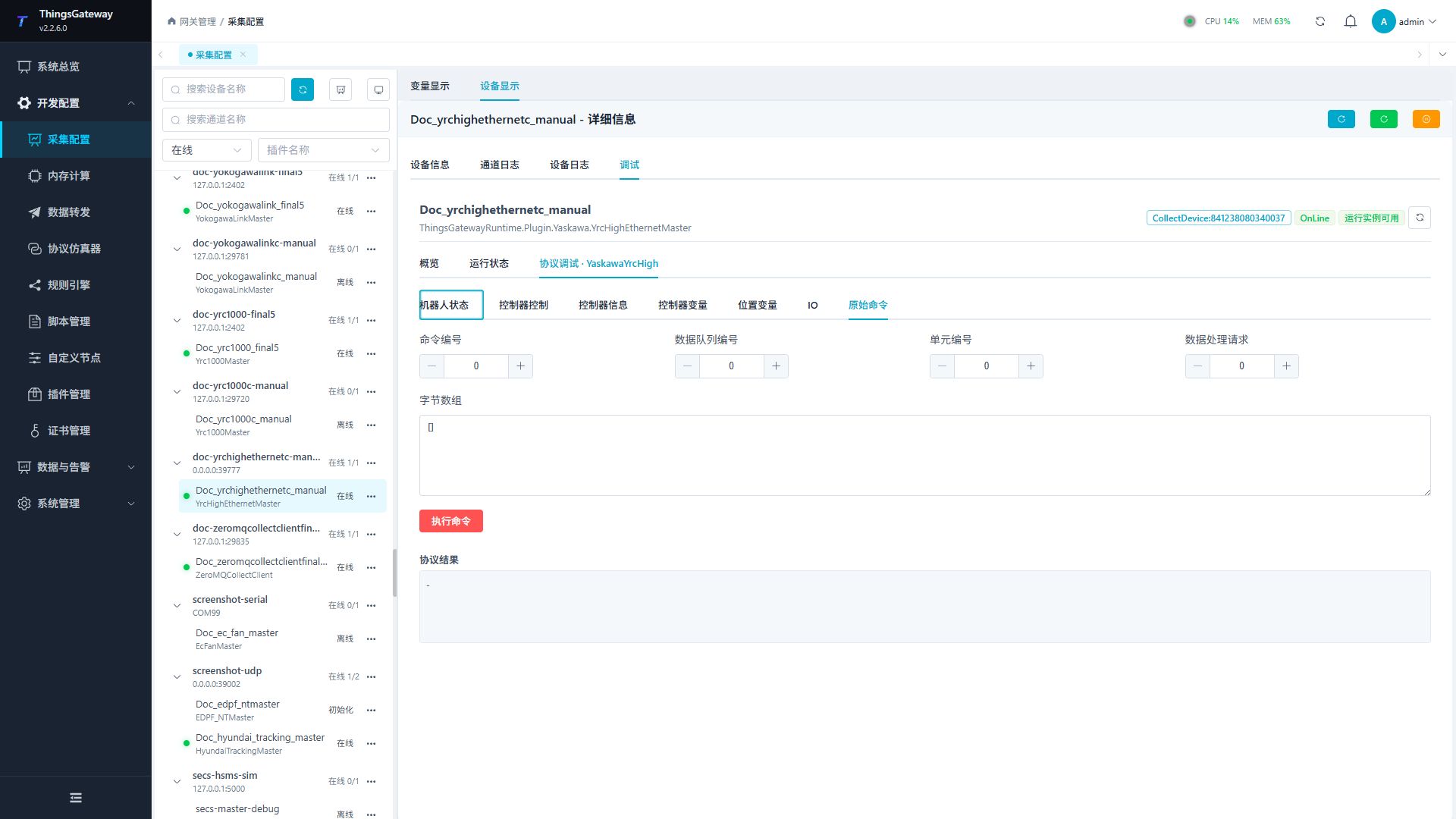
Begin with read-only alarms, state, pose, variables, and controller information. Every write or control requires separate safety confirmation.
Verify the configuration
- Confirm UDP request and response traffic.
- Read alarms, state, pose, and one variable and compare them with the teach pendant.
- Test writes only on approved test addresses and verify controller feedback immediately.
Troubleshooting
| Symptom | Check |
|---|---|
| No response | UDP addresses/ports, processing division, firewall, controller service, and response route. |
| Read fails | Method parameter, address range, controller mode, and command support. |
| Write is rejected | Writable range, value length/type, robot mode, write protection, and interlocks. |
| Job cannot start | Servo, HOLD, alarms, selected job, cycle mode, and safety conditions. |
| Raw command fails | Command, data address, attribute, handle, payload length, and processing division. |
Related links
- Collection Configuration: Common device, variable, and debug operations.
- Plugin Manual Index: Other plugins.